Google Pac-Man Easter Egg: Play the 30th Anniversary Doodle (2026)
To play Google Pac-Man, go to google.com/doodles/30th-anniversary-of-pac-man — this is the permanent home of the Doodle. You can also search pac-man on Google.com to see if a playable search result card appears. Click “Insert Coin” and use your arrow keys to play. The game is a faithful port of the original 1980 arcade Pac-Man, with the Google logo cleverly shaped into the maze.
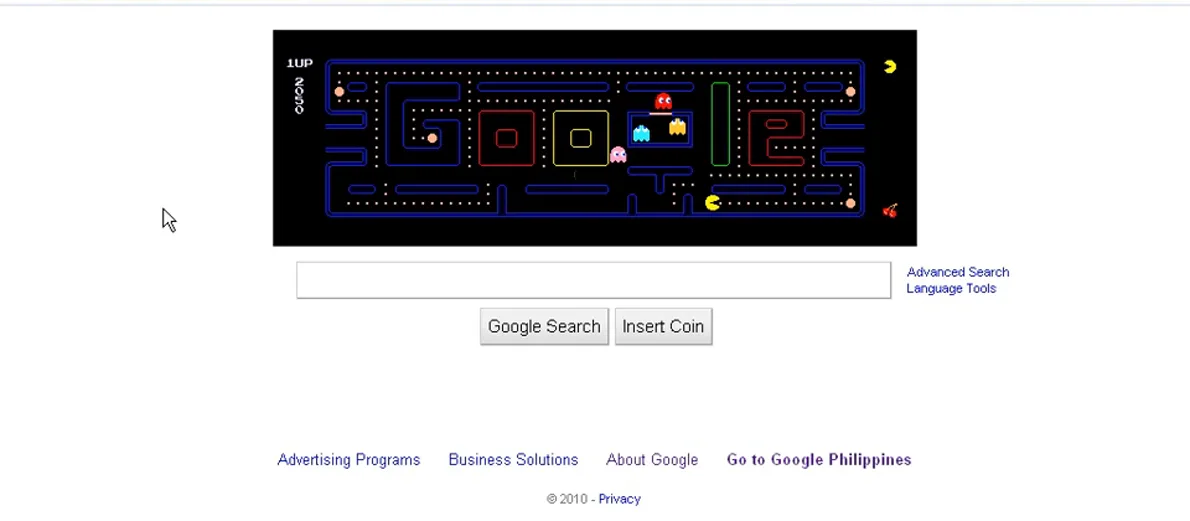
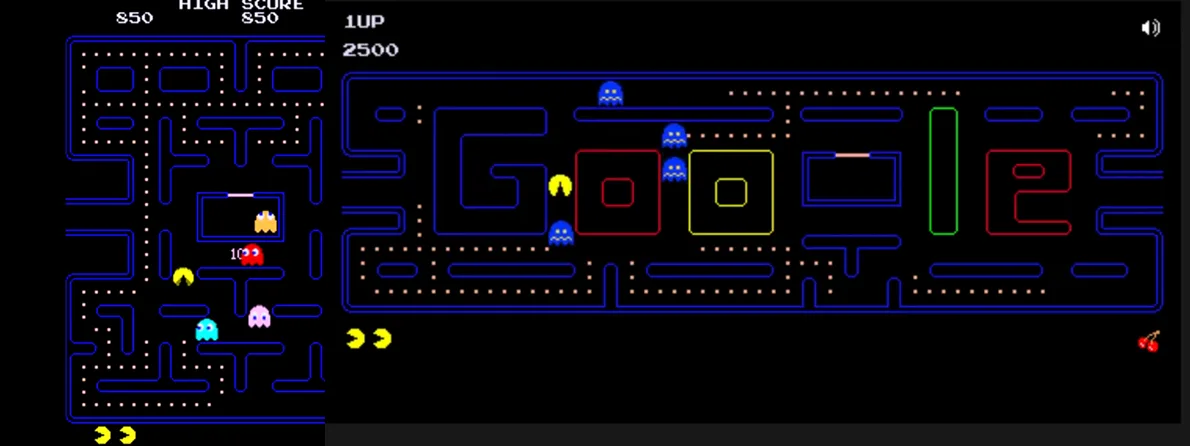
In May 2010, Google replaced its homepage logo with something unprecedented: a fully playable arcade game. To celebrate the 30th anniversary of Pac-Man, Google’s team built a faithful port of the original game inside the Doodle space, shaping the maze to spell out “Google” — complete with the double O’s serving as tunnel exits, just like the original’s side passages.
The Pac-Man Doodle was only supposed to appear for one day. It ended up staying for 48 hours after user demand, and it permanently shifted what people thought a Google Doodle could be. Before May 21, 2010, Doodles were decorative images. After Pac-Man, interactive games became part of the Doodle vocabulary. That Pac-Man game — still playable today — is arguably the single most influential Google Doodle ever made.
How to Play Google Pac-Man in 2026
Method 1: The Permanent Doodle Page (Most Reliable)
- Open your browser and go to google.com/doodles/30th-anniversary-of-pac-man
- The Pac-Man maze will load — the “GOOGLE” maze with Pac-Man and the four ghosts in their start positions.
- Click the “Insert Coin” button (where the “Google Search” button would normally be) to start the game.
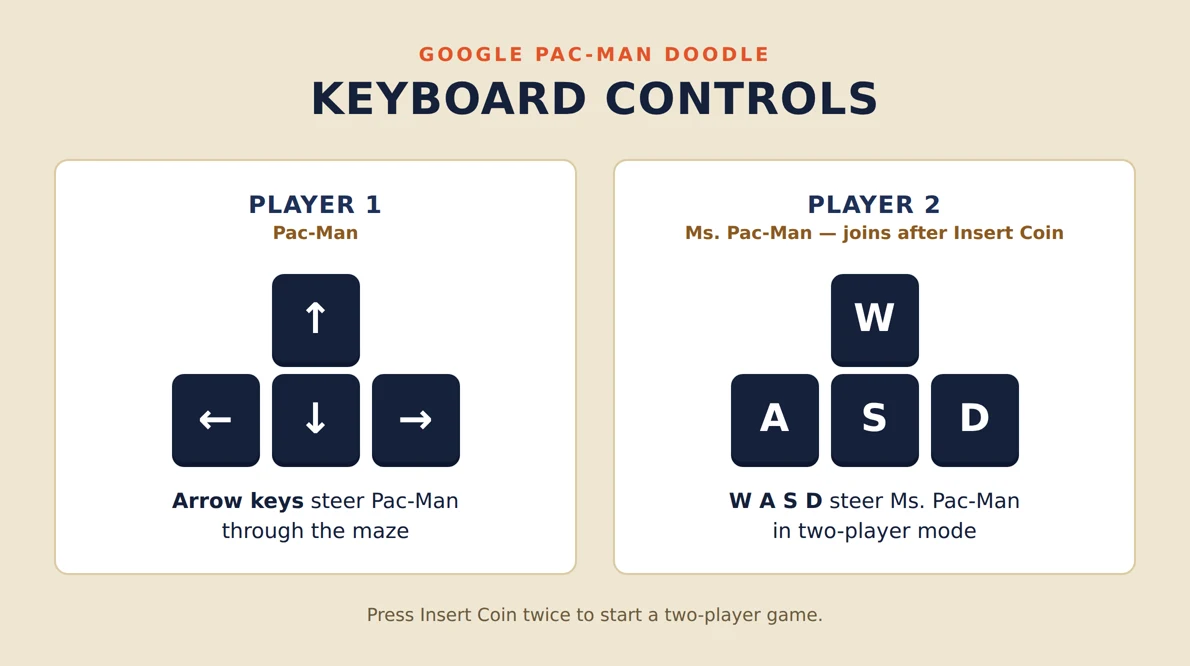
- Use the ↑ ↓ ← → arrow keys to move Pac-Man.
- On mobile, swipe in the direction you want Pac-Man to go.
Method 2: Google Search (When Available)
- Go to google.com and search for pac-man
- A playable game card may appear at the top of the search results. If it does, click it to play.
- Note: This search result card appears intermittently. If it does not show, use the Doodle link in Method 1.
💡 Two-player mode
Click “Insert Coin” a second time (before the game starts) to add Ms. Pac-Man as a second player. The second player uses W/A/S/D keys. This is an exclusive feature of the Google version — the original arcade had no two-player mode.
Game Controls
| Action | Player 1 (Pac-Man) | Player 2 (Ms. Pac-Man) |
|---|---|---|
| Move up | ↑ Up arrow | W |
| Move down | ↓ Down arrow | S |
| Move left | ← Left arrow | A |
| Move right | → Right arrow | D |
| Mobile | Swipe in any direction | |
The History Behind the Google Pac-Man Doodle
Pac-Man (original Japanese title: Puck-Man) was created by Toru Iwatani at Namco and released in Japanese arcades in May 1980. The North American version launched later that year under the Midway publishing label. It became the best-selling arcade game of all time, with more than 100,000 cabinets sold.
For its 30th anniversary in May 2010, Namco Bandai worked with Google to create an officially licensed port of the game. Google’s Doodle team, led by Ryan Germick and Marcin Wichary, spent months building a precise reproduction. The team studied the original game’s ghost AI, pellet logic, and timing down to the frame.
📌 Did you know?
The Google Pac-Man Doodle is estimated to have cost the global workforce approximately 4.8 million hours of lost productivity on the day it launched — a figure calculated by productivity analytics firm RescueTime based on the average time users spent playing instead of searching.
The maze in the Google version spells out “GOOGLE” instead of the traditional square maze. The letter G provides entry and exit tunnels similar to the original’s side passages. The layout was carefully designed so that every path in the word “GOOGLE” is Pac-Man navigable — no dead ends, proper ghost pathfinding, and correct dot placement throughout.
The Ghosts: Blinky, Pinky, Inky, and Clyde
- Blinky (Red) — Directly chases Pac-Man’s current position. He speeds up as fewer dots remain on the board.
- Pinky (Pink) — Targets a position four spaces ahead of Pac-Man, attempting to cut him off rather than chase from behind.
- Inky (Cyan) — Uses a complex formula involving both Blinky’s position and Pac-Man’s position, making his behavior the hardest to predict.
- Clyde (Orange) — Chases Pac-Man when far away but retreats to the bottom-left corner when he gets too close. His alternating behavior confuses many players.
Scoring in Google Pac-Man
| Item | Points | Notes |
|---|---|---|
| Small dot (pellet) | 10 | 240 dots total on the board |
| Power pellet | 50 | 4 power pellets, enables ghost eating |
| Ghost (first) | 200 | While powered up |
| Ghost (second) | 400 | Same power-up period |
| Ghost (third) | 800 | Same power-up period |
| Ghost (fourth) | 1,600 | Same power-up period |
| Cherry (fruit) | 100 | Appears at center after 70/170 dots |
🔗 More Google Games and Easter Eggs
- Google Snake Game — classic snake playable in Search
- Google Minesweeper — the classic grid game in Google Search
- Google Solitaire — Klondike solitaire right in the search results
- All Google Easter Eggs (2026 Master List)
Frequently Asked Questions
How do I play Pac-Man on Google right now?
Go to google.com/doodles/30th-anniversary-of-pac-man for instant, permanent access to the Google Pac-Man Doodle. Click “Insert Coin” and use your arrow keys to play. You can also search “pac-man” on Google.com, where a playable card sometimes appears in the search results.
Does Google Pac-Man have two-player mode?
Yes. Click “Insert Coin” a second time before the game starts to add Ms. Pac-Man as a second player. Player 2 uses the W/A/S/D keys. This two-player mode is exclusive to the Google Doodle version — the original arcade Pac-Man was single-player only.
When did Google make the Pac-Man Doodle?
Google’s Pac-Man Doodle launched on May 21, 2010, to celebrate the 30th anniversary of Pac-Man’s original Japanese release in May 1980. It was created in partnership with Namco Bandai (now Bandai Namco), the game’s official rights holder.
Can I play Google Pac-Man on my phone?
Yes. The Google Pac-Man Doodle works on smartphones and tablets. Navigate to google.com/doodles/30th-anniversary-of-pac-man in your mobile browser, tap “Insert Coin,” and swipe in the direction you want Pac-Man to move.
Find Every Google Game and Easter Egg
Pac-Man is one of a dozen playable games hidden inside Google. See the full list of Google Easter eggs, games, and tricks that still work in 2026.
Summary
The Google Pac-Man Easter egg is a fully playable, officially licensed port of the original 1980 arcade game, permanently available at google.com/doodles/30th-anniversary-of-pac-man. It launched on May 21, 2010, to celebrate Pac-Man’s 30th anniversary. The maze is shaped like the word “GOOGLE,” and the game faithfully reproduces the original’s ghost AI, scoring, and timing. It includes an exclusive two-player mode (click “Insert Coin” twice to add Ms. Pac-Man). Use arrow keys on desktop or swipe on mobile to play.
Sources: Google Doodles archive (google.com/doodles); Bandai Namco Pac-Man history; RescueTime productivity study, May 2010; Marcin Wichary interview on Google Doodle development; tested October 2026. Sourced