Google Flip a Coin: How to Use It, Is It Really 50/50, and When a Dedicated Tool Is Better (2026)
Open Google in any browser or the Google app and search flip a coin. An animated coin appears at the top of the results. Click or tap it — or the Flip button — to get Heads or Tails instantly. No download, no sign-in, works on desktop, Android, iPhone and iPad. You can also say “Hey Google, flip a coin” to Google Assistant for a spoken result. The widget is free, unlimited, and available anywhere you have internet.
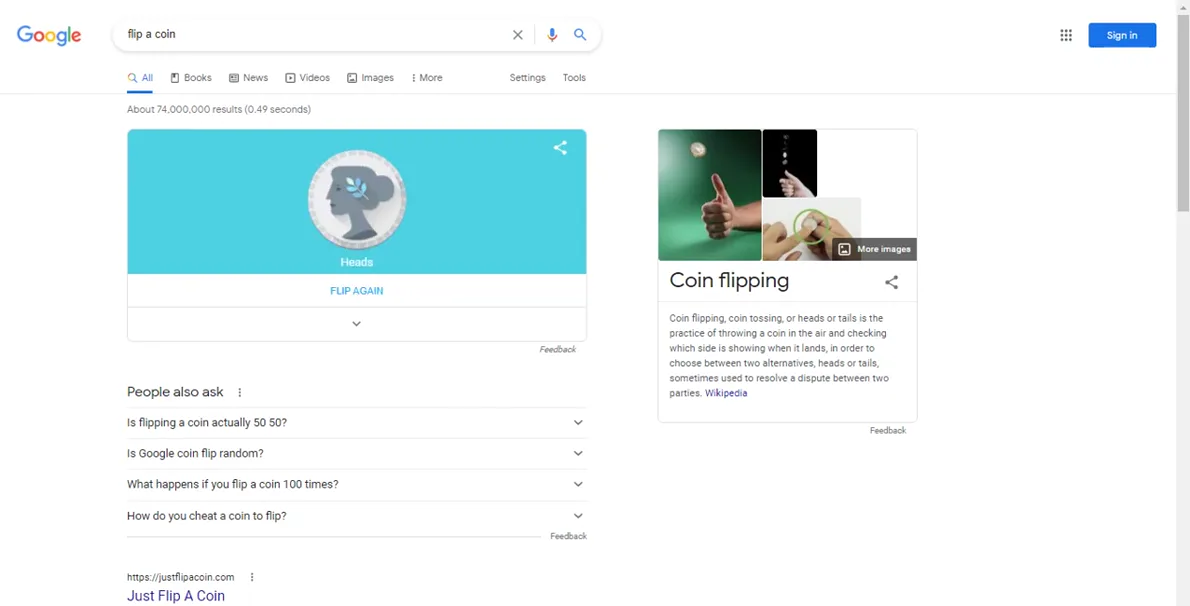
Everybody has been in a situation where a quick, fair coin toss would settle things — who picks the restaurant, who goes first, who gets the last slice of pizza — but no coin is anywhere to be found. Google built a simple fix right into Search, and most people never notice it’s there.
The Google flip a coin tool is not a separate app or a hidden game. It’s a Search widget, just like the weather card or a unit converter. Type the right phrase and an animated coin appears at the very top of your results, ready to flip as many times as you need. This guide covers every way to trigger it, how it actually works, what the science says about fairness, and — honestly — when Google’s widget isn’t the right tool and a dedicated coin-flip site does the job better.
Every device
How to Flip a Coin on Google (Every Device, Every Method)
On Desktop (Chrome, Firefox, Safari, Edge)
- Open any web browser on your computer.
- Go to google.com — the widget appears on Google Search only, not on other search engines.
- Type flip a coin in the search bar and press Enter. You can also search coin flip, google coin flip, or heads or tails.
- An animated coin appears above the regular search results. Click it or click the Flip button below it.
- The coin spins and lands on either Heads or Tails. Flip again as many times as you like — no limit.
Tip: If searching “coin toss” brings a different layout (or no widget at all), switch to “flip a coin” — that phrase triggers the animated widget most consistently in 2026.
On Android
- Open the Google app or any browser and go to google.com.
- Search flip a coin.
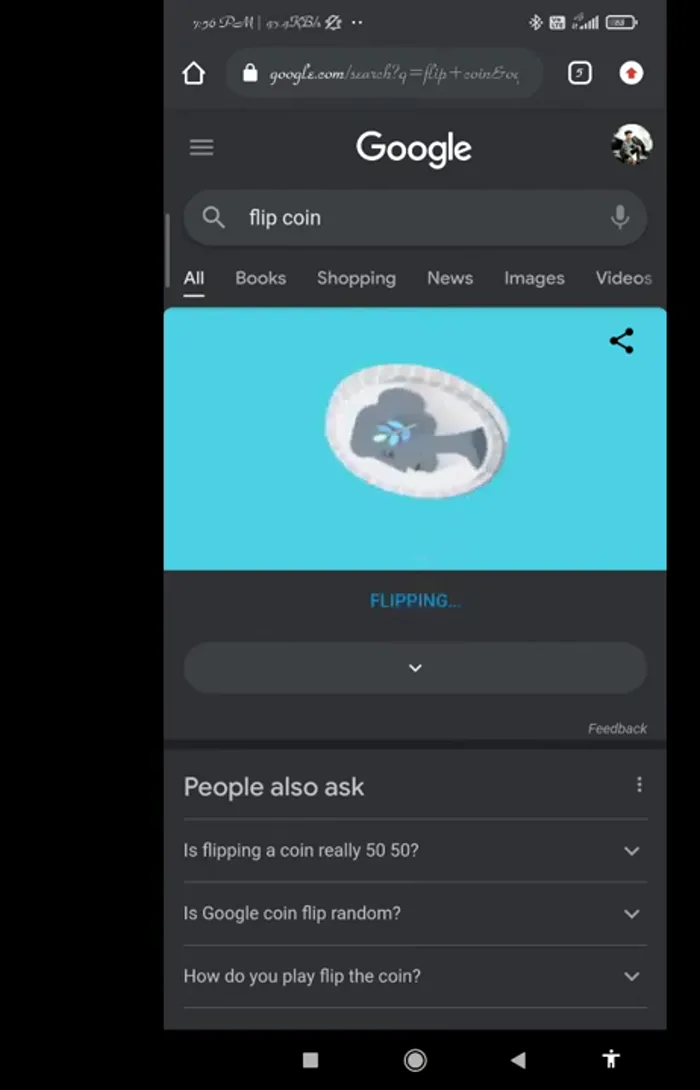
- The coin widget loads at the top of the results page. Tap the coin or the Flip button.
- The result shows on screen. Tap Flip again to repeat.
On iPhone and iPad
- Open Safari, Chrome for iOS, or the Google app.
- Navigate to google.com and search flip a coin.
- The animated coin widget appears at the top. Tap it to flip.
- Results show immediately. Tap Flip again for another toss.
Note: On iOS, the widget loads inside whichever browser you use for Google. It does not require the Google app, but the app works too.
Voice Commands: “Hey Google, Flip a Coin”
You don’t need to type anything to use the coin flip. All three major voice assistants understand the command:
| Assistant | Command | Result |
|---|---|---|
| Google Assistant | “Hey Google, flip a coin” or “Ok Google, flip a coin” | Spoken and visual result on screened devices (Pixel, Android, Nest Hub). Spoken only on smart speakers. |
| Siri | “Hey Siri, flip a coin” | Spoken result. Visual animation on newer iPhones varies by iOS version and region. |
| Amazon Alexa | “Alexa, flip a coin” | Spoken result. Visual on Echo Show, Echo Spot. Audio only on standard Echo. |
Voice tips: Speak clearly and use the exact phrase. If the assistant doesn’t understand, try “toss a coin,” “heads or tails,” or “flip a coin 3 times.” Voice assistants do not save a history of your coin flips — each command is independent.
Trigger Phrases That Work (and One That Sometimes Doesn’t)
| Search phrase | Widget behaviour in 2026 |
|---|---|
| flip a coin | Animated coin widget, top of results — most reliable |
| google flip a coin | Same animated widget |
| coin flip | Animated coin widget — works consistently |
| google coin flip | Same animated widget |
| heads or tails | Widget appears for most users; layout may vary |
| coin toss | Widget appears for most users; occasionally shows a different card layout — use “flip a coin” if absent |
| flip coin | Usually triggers widget |
Fairness
Is Google Coin Flip Really 50/50?
The honest answer is: yes, for practical purposes. Google’s widget is designed to behave like a mathematically fair coin, giving each outcome a 50% probability on every flip. No streak of heads makes tails “due” on the next flip. Each toss is independent.
That said, there are some important nuances worth understanding:
Digital randomness vs. physical randomness
Google’s coin flip uses a pseudo-random number generator (PRNG) — a computer algorithm that produces results that behave statistically like random outputs. Google has not publicly documented which specific PRNG or algorithm powers the widget. What is known: the results show no documented bias toward heads or tails, and the widget is not personalized based on your search history or account.
If you need certified, auditable randomness — for a formal draw, a scientific study, or anything with real stakes — use a specialized service like Random.org, which uses atmospheric noise as its randomness source. For lunch debates and board game tie-breakers, the Google widget is perfectly fine.
Real coins are actually slightly biased
Study fact: A 2023 study by Bartoš et al. recorded 350,757 coin flips across 46 people and found that a hand-flipped physical coin lands on the same face it started on about 50.8% of the time. If you watch the coin before the flip and it starts heads-up, it lands heads slightly more often. Digital coin flips don’t have this bias because there is no starting orientation.
Probability researcher Persi Diaconis also found the same-side bias in earlier work. So in one sense, Google’s virtual coin is actually fairer than a real coin tossed by hand — because it has no physical mechanics to introduce bias.
Why you might see several heads in a row — and why that’s normal
A common confusion: after four heads in a row, many people feel tails is “overdue.” This belief is called the gambler’s fallacy. In reality, each flip has no memory of the previous one. The probability of heads on flip five is still exactly 50%, regardless of what came before.
| Outcome | Probability | About 1 in… |
|---|---|---|
| 1 head | 50% | 2 flips |
| 2 heads in a row | 25% | 4 flips |
| 3 heads in a row | 12.5% | 8 flips |
| 5 heads in a row | 3.125% | 32 flips |
| 10 heads in a row | ~0.098% | ~1,024 flips |
| At least one head in 3 flips | 87.5% | — |
| Exactly 2 heads in 4 flips | 37.5% | — |
Streaks feel surprising because our brains are pattern-recognition machines. But five heads in a row happens about 3% of the time — once every 32 attempts. Flip a coin long enough and streaks are inevitable, not evidence of bias.
How to test it yourself
Flip the Google coin 100 times and tally the results. A result like 54 heads / 46 tails (a 54/46 split) is statistically normal and does not prove bias. The expected result is “close to 50/50,” not “exactly 50/50” in every sample. You’d need thousands of flips for the ratio to reliably approach 50/50 — that’s what the law of large numbers means in practice.
When to Use Google Flip a Coin (and When to Use Something Else)
| Decision | Google widget? | Why |
|---|---|---|
| Lunch spot between two equal options | ✅ Perfect | Quick, fair, instant |
| Who serves first in tennis | ✅ Perfect | Nobody’s arguing, result is final |
| Tiebreaker after weighing pros and cons | ✅ Good | Reveals which result you were hoping for |
| Picking between two similar gifts | ✅ Good | Removes decision fatigue |
| Tracking 100 flips for a classroom experiment | ⚠️ Limited | No history or tally — use a dedicated tool |
| Flipping coins for a group watching together | ⚠️ Limited | No shareable link — use coin-flip.com or similar |
| Choosing between 3+ options | ❌ Not ideal | Binary only — use the Google Roll a Die widget instead |
| Career change, financial decision, medical choice | ❌ No | These decisions deserve research, not chance |
What Google’s widget doesn’t do
Google’s coin flip tool is intentionally simple. It gives you one flip at a time, shows the result, and that’s it. It does not offer:
- A running tally or session statistics
- Flip history (the previous result disappears)
- Multiple coins in one flip
- Custom labels (instead of “Heads/Tails,” say “Yes/No”)
- Shareable result pages
- Offline use
If you need any of those features, dedicated tools do a much better job:
- coin-flip.com — 3D animation with session statistics and timestamped flip history
- randomstuffgenerator.com/coin-flip — browser-only (no server data sent), last-10 flip history pills
- giftlist.com/tools/coin-flip — can flip up to 10 coins simultaneously
- Random.org — atmospheric noise randomness, useful when auditability matters
The Psychology of the Coin Flip: Using It to Reveal Your Own Preference
One of the most useful — and least obvious — applications of a coin flip isn’t settling random choices. It’s revealing what you actually want.
The technique: assign heads to Option A and tails to Option B. Flip once. The moment you see the result, pay attention to your gut reaction. If you feel relief, that’s your answer. If you feel a flash of disappointment and immediately want to flip again, that is also your answer — the coin just told you which option you already preferred.
This works because making the decision “official” breaks the state of comfortable indecision and forces an emotional response. The coin isn’t making your choice — it’s showing you the choice you’d already made subconsciously.
Practical use: For choices that feel genuinely 50/50 after rational analysis, the coin flip result is fine. For choices where you keep wanting to re-flip, stop re-flipping — your reaction told you everything you need to know.
Edge case
What Happens If the Coin Lands on Its Edge?
In the physical world, a US nickel lands on its edge approximately 1 in 6,000 tosses (about 0.017% of the time), according to a 1993 Murray and Teare estimate. Thicker coins on carpet land on edge more often; thin coins on tile almost never stay standing.
In Google’s digital widget, there is no “edge” outcome — the software produces only Heads or Tails. If you ever get an unclear visual in the animation, simply tap Flip again.
Google Flip a Coin vs. Dedicated Coin-Flip Tools: Feature Comparison
| Feature | Google widget | Dedicated tool (e.g. coin-flip.com) |
|---|---|---|
| Access method | Google Search or Assistant | Direct URL |
| Requires internet | Yes | Yes (some have offline PWA modes) |
| Flip history | No | Yes (session stats, timestamps) |
| Multiple coins at once | No | Some tools (up to 10) |
| Custom side labels | No | Yes (Yes/No, custom names) |
| Best-of-3 / Best-of-5 mode | No | Some tools |
| Shareable result link | No | Some tools |
| Certified/auditable randomness | No | Random.org (atmospheric noise) |
| Speed for a quick flip | ⭐⭐⭐⭐⭐ Fastest | ⭐⭐⭐⭐ (extra navigation) |
More Google Search Tools
Frequently Asked Questions
How do I flip a coin on Google?
Search flip a coin or coin flip on Google in any browser. An animated coin widget appears at the top of the results. Click or tap the coin — or the Flip button — to get Heads or Tails. Works on desktop, Android, and iPhone. No download or sign-in needed.
Is Google’s coin flip really 50/50?
Yes, for all practical purposes. The widget uses a pseudo-random number generator designed to produce a fair 50/50 outcome. Google has not publicly documented the exact algorithm, but there is no evidence it is biased toward heads or tails, or that it is personalized based on your account or search history.
Why does Google coin flip keep giving me heads?
This is almost certainly the gambler’s fallacy at work — a streak of heads is normal and doesn’t mean the tool is biased. The probability of five heads in a row is about 3%, which sounds rare but happens roughly once in every 32 attempts. Each flip is independent; a previous result has no effect on the next one. If you flip 100 times, a 54/46 split is statistically normal, not evidence of bias.
Can I use Google to flip a coin with my voice?
Yes. Say “Hey Google, flip a coin” to Google Assistant on Android phones, smart speakers, or Nest Hub displays. The result is spoken aloud and shown visually on screened devices. You can also say “Hey Siri, flip a coin” to Siri or “Alexa, flip a coin” to Amazon Alexa — both give spoken results immediately.
Does the previous Google coin flip affect the next one?
No. Each flip is statistically independent. The widget has no memory of previous results. Whether you just got five heads or five tails, the probability of either outcome on the very next flip is still exactly 50%. This is a fundamental property of independent random events.
Is Google coin flip rigged or personalized?
No. There is no documented evidence that Google’s coin flip is rigged, biased toward any outcome, or personalized based on your Google account, search history, or location. Google follows its general privacy policy for the widget, which requires no personal data and stores no results. For certified randomness in high-stakes situations, use Random.org (atmospheric noise).
Can I flip a coin on Google without internet?
No — the Google flip a coin widget requires an active internet connection to load. If you’re offline, try a dedicated coin-flip app on your phone (many work offline), or flip an actual physical coin. Alternatively, some browser extensions include offline coin-flip functionality.
Can I flip multiple coins at once with Google?
No. Google’s widget flips one coin at a time and shows one result at a time. For multiple simultaneous flips — say, flipping 10 coins and tallying heads vs. tails — use a dedicated tool like giftlist.com/tools/coin-flip, which supports up to 10 coins at once, or myflippingluck.com, which offers bulk flip modes.
What is the “flip a coin to reveal your preference” trick?
Assign heads to Option A and tails to Option B, then flip once. The moment you see the result, pay attention to your gut reaction. Relief means that’s the right choice. Disappointment — or the urge to flip again — means you actually prefer the other option. The coin doesn’t make the decision; it forces your subconscious reaction to reveal what you already wanted.
Is a real coin flip truly 50/50?
Not quite. A 2023 study by Bartoš et al. recorded 350,757 hand-flipped coin tosses and found that coins land on the same face they started on approximately 50.8% of the time — a slight same-side bias. If you observe the coin before flipping, you have a small statistical advantage. Digital coin flips like Google’s don’t have this bias because there is no physical starting orientation.
More Google Tricks Worth Knowing
From the Dino game that runs inside Chrome to magic tricks that rearrange your search results — explore all the Google Easter eggs and hidden tools that most people miss.
Summary
The Google flip a coin widget is one of the most useful things built into Google Search that most people never discover. Search flip a coin on Google and you get an instant, animated, 50/50 coin toss — no app, no sign-in, unlimited flips. You can trigger it by typing or by saying “Hey Google, flip a coin” to any Google Assistant device.
The widget is genuinely fair for everyday decisions. It uses a pseudo-random algorithm with no documented bias and no personalization. The science is clear: streaks of heads or tails are normal probability, not evidence of a rigged tool. The gambler’s fallacy is real — past results don’t influence future flips.
Where Google’s widget falls short: it keeps no history, supports only one coin at a time, and can’t be customized. For sessions where you need tallies, statistics, multiple coins, or shareable results, dedicated tools like coin-flip.com and Random.org do the job better. And for choices with more than two options, the Google Roll a Die widget — which supports dice with 4 to 20 sides — is the better call.
Sourced Sources: Bartoš et al. (2023) “Fair coins tend to land on the same side they started” — American Statistician (preprint via arXiv 2310.04153); Diaconis, Holmes & Montgomery (2007) “Dynamical Bias in the Coin Toss”; Murray & Teare (1993) coin-edge probability estimate; TycoonStory.com Google Coin Flip guide (verified 2026); NeuraPulse AI Google Flip a Coin guide (verified 2026); MakeUseOf “7 Hidden Google Tricks” (verified 2026); OrbiDispatches coin flip FAQ (verified 2026).