Google Solitaire: How to Play, Easy vs Hard Mode & Win Rate (2026)
Type “solitaire” into Google Search and press Enter. A playable Klondike Solitaire game appears at the top of your results — click Play, choose Easy or Hard, and start immediately. Easy Mode draws one card at a time from the stock; Hard Mode draws three. No download, no sign-up, no money involved. Google added Solitaire to Search in August 2016, and it’s still fully active in 2026.
Google Solitaire is one of those games people stumble into — you search for something card-related, and suddenly there’s a full Klondike game sitting at the top of your results. But once you actually sit down to play it, questions come up fast: What are the rules exactly? Why do Easy and Hard feel so different? Is every game actually winnable?
This guide covers all of it — accurate rules, the real difference between Easy and Hard mode, win rates, the full-screen option, and the strategy tips that actually change your outcome. It also clears up a few persistent myths that have spread across the SERP.
What Is Google Solitaire?
Google Solitaire is a fully playable Klondike Solitaire card game embedded directly in Google Search. It’s not a link to an external game site — it runs right inside your browser tab, inside the results page, with no extension, download, or account needed.
Google added it to Search in August 2016. Since then, it’s become one of the most-played in-Search games Google offers.
One thing worth saying upfront: Google Solitaire is Klondike Solitaire only. Several clone and aggregator sites claim it includes FreeCell and Spider modes — this is incorrect. Google’s in-Search game offers Classic Klondike with two difficulty settings (Easy and Hard). If you want FreeCell or Spider, you’ll need a dedicated solitaire site.
And Google Solitaire is completely free with no prizes, no payouts and no money of any kind. It’s a game, not a cash app.
How to Play Google Solitaire
On Desktop (Chrome, Edge, Firefox, Safari)
- Open a browser and go to google.com.
- Type “solitaire” (or “play solitaire,” “google solitaire,” “klondike solitaire”) in the search bar and press Enter.
- A Solitaire game widget appears at the top of the search results.
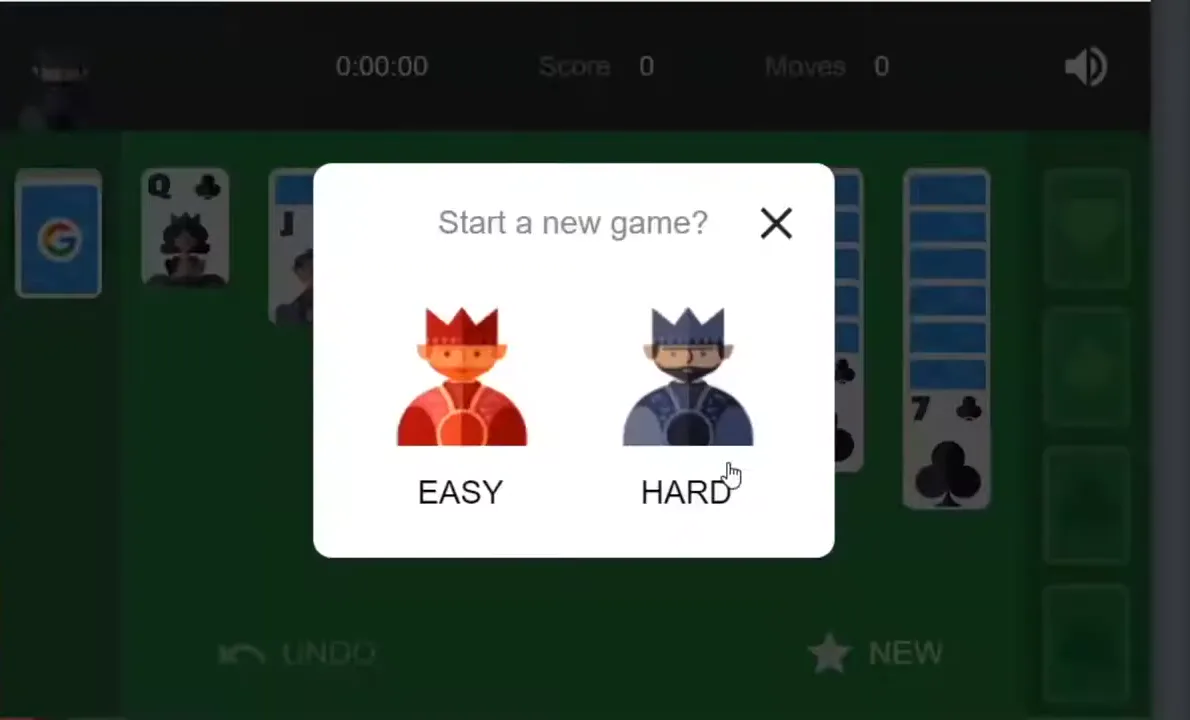
- Click Play.
- Choose your difficulty: Easy or Hard.
- The game deals automatically. Use click-and-drag (or click-to-select, click-to-place) to move cards.
On Mobile (iOS and Android)
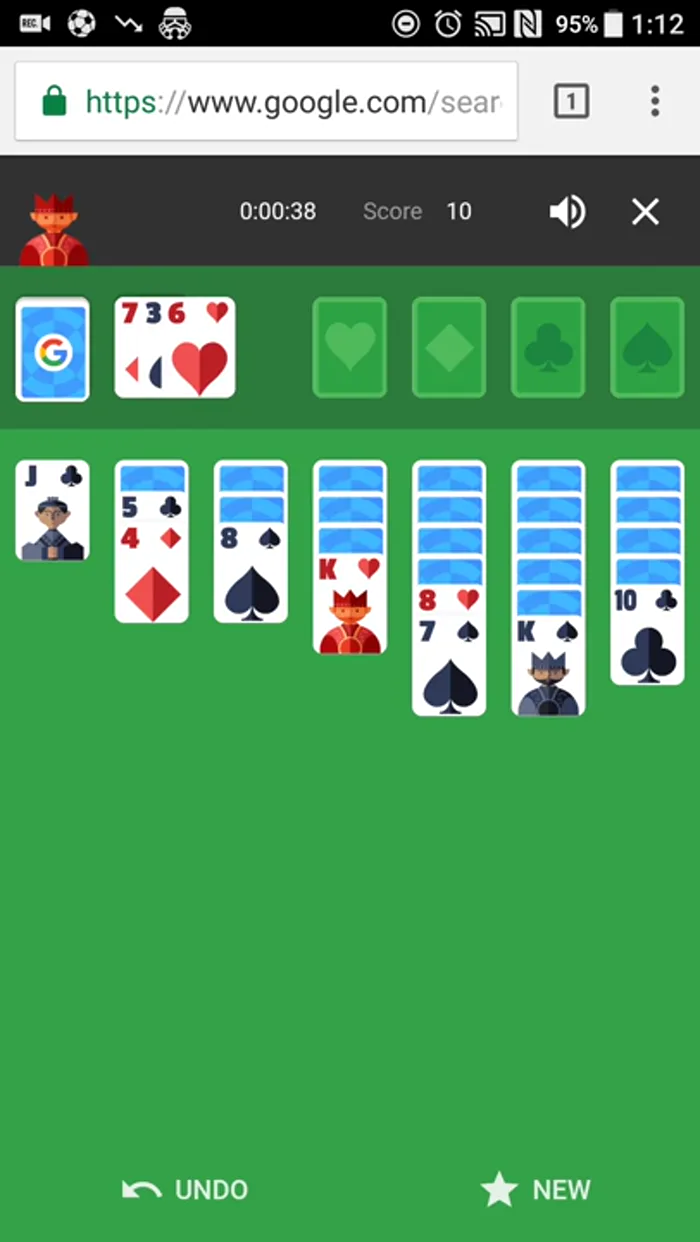
- Open the Google app or a mobile browser and search “solitaire.”
- The game appears at the top of results. Tap Play.
- Select Easy or Hard.
- Tap a card to select it, then tap the destination to place it — or drag directly. The board resizes to your screen automatically.
Full-Screen Option
The in-results game runs in a compact window. For a larger experience, scroll down the results page after searching “solitaire” until you see a “Google Solitaire” link — clicking it opens Google’s full-page, full-screen Solitaire version in a dedicated tab. Same rules, same difficulty options, bigger board.
Understanding the Board Layout
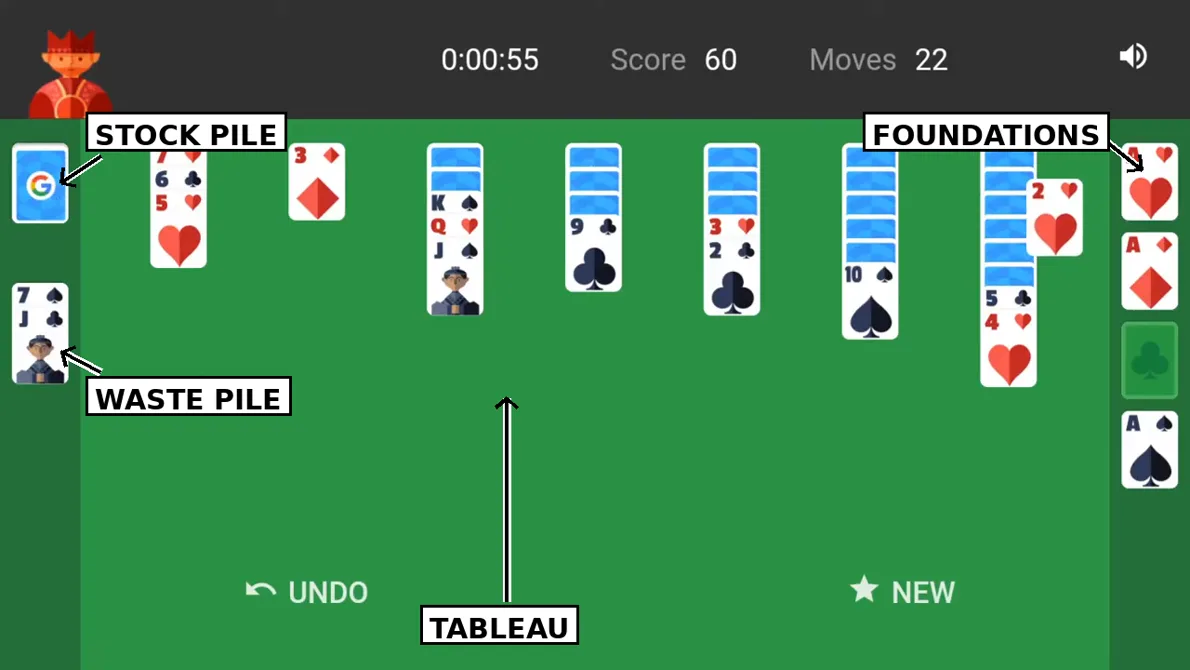
Klondike is played with a standard 52-card deck, dealt into four zones:
- Stock Pile (top-left): The face-down deck. Click it to draw cards into the waste pile.
- Waste Pile (next to the stock): Face-up cards you can play from.
- Foundations (top-right, four slots): Build each suit from Ace up to King, in order.
- Tableau (the seven columns): Build down in alternating colours (red on black, black on red). Only Kings can be placed in an empty tableau column.
The goal: move all 52 cards to the foundations, in suit order, Ace to King.
A few rules people get wrong: you can move a sequence of cards together if they’re in valid descending, alternating-colour order; you can move a single card or a valid sequence onto a foundation only if it’s the next card in that suit; and once the stock is exhausted, you can cycle through the waste pile again — in Google Solitaire, you can recycle the waste pile an unlimited number of times, with no penalty.
Google Solitaire Rules
The rules are standard Klondike, with a few Google-specific details:
| Rule | Google Solitaire |
|---|---|
| Deck | Standard 52 cards, one deck |
| Tableau | 7 columns, 1–7 cards, top card face-up |
| Foundations | 4 piles, Ace to King, one per suit |
| Stock | Draw 1 (Easy) or Draw 3 (Hard) |
| Waste recycle | Unlimited, no penalty |
| Empty column | King only |
| Scoring | No score displayed; win/loss only |
| Timer | No timer displayed |
| Undo | Available — use it freely |
There’s no move counter, no timer and no score in Google Solitaire — just the game itself. That’s a deliberate simplification, and it means you can take as long as you like.
Easy vs Hard Mode — The Real Difference
The only difference between Easy and Hard mode in Google Solitaire is how many cards you draw from the stock each time you click it:
| Easy Mode | Hard Mode | |
|---|---|---|
| Draw | 1 card at a time | 3 cards at a time |
| Playable card | The drawn card | Only the top (third) card |
| Access to buried cards | Every card, one by one | Only every third card, until the pile cycles |
| Typical win rate | ~80–90% with good play | ~30–40% with good play |
| Best for | Learning, relaxing, casual play | Challenge, experienced players |
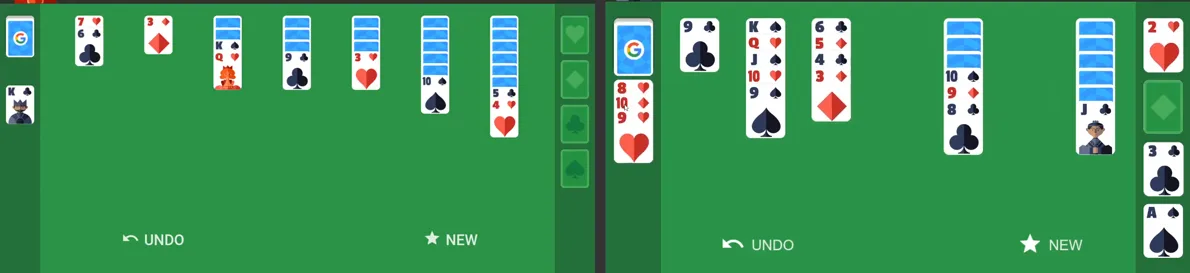
In Hard Mode, two of the three drawn cards are buried under the top card and can’t be played until the waste pile cycles and they become the top card on a later pass. That’s why Hard feels so much more restrictive — it’s not just “harder,” it fundamentally changes which cards you can access, and when.
Recommendation: Start on Easy until you’re comfortable with the rules and basic strategy, then switch to Hard for a genuine challenge. There’s no shame in Easy — even experienced players win far more often there.
Is Every Game of Google Solitaire Winnable?
No — and this is one of the most common myths about Klondike. Not every deal is winnable, even with perfect play.
For Draw 1 (Easy), research and solver data suggest that roughly 80–90% of deals are winnable with optimal play. Some sources put the figure even higher, but 80–90% is a safe, well-supported range.
For Draw 3 (Hard), the figure drops significantly — roughly 30–40% of deals are winnable, because you can only access every third card on each pass through the stock.
That means if you lose a game of Hard mode, it’s often not a mistake on your part — the deal itself may simply have been unwinnable. Don’t let that put you off; the challenge is part of the appeal.
How to Win More Often
These tips won’t make every deal winnable, but they will meaningfully improve your win rate — especially on Hard mode:
- Always check the tableau before drawing from the stock. Don’t draw a new card until you’ve made every possible move on the board.
- Prioritise uncovering face-down cards. Every hidden card you reveal is a new option. Moves that uncover a card are usually better than moves that don’t.
- Don’t move a card to a foundation too early. Keeping cards in the tableau gives you more flexibility. Only move to foundations when you’re sure you won’t need that card to build on.
- Free a column early. An empty tableau column is powerful — it’s the only place a King can go, and it lets you rearrange sequences.
- Use Undo. Google Solitaire has unlimited undo. If a move doesn’t work out, take it back and try another line.
- On Hard mode, plan around the draw cycle. Remember that only every third card is playable on a given pass — if you need a buried card, you may need to cycle the stock to reach it.
Features
- No download or sign-up — plays in your browser, free.
- Two difficulties — Easy (Draw 1) and Hard (Draw 3).
- Unlimited undo and unlimited waste-pile recycling.
- Full-screen version available via the dedicated Solitaire page.
- Mobile-friendly — tap or drag on iOS and Android.
- No timer, no score, no pressure — just the game.
Troubleshooting
Game not appearing? Make sure you’re searching on google.com (not a regional variant that hides the widget), and try the exact term “solitaire.” If it still doesn’t appear, scroll down the results page for the full-page link, or try a different browser.
Cards not dragging? Try click-to-select then click-to-place instead of dragging, or reload the page and start a new game.
Stuck with no moves? That’s normal in Klondike — some deals are unwinnable. Use Undo to try a different line, or start a new game.
Want to restart? Click the menu in the game widget and choose “New game,” or simply reload the search results page.
Other Google Games
If you enjoy Google Solitaire, try these other in-Search games: Google Minesweeper, Google Dinosaur Game, Snake, Pac-Man, and Tic-Tac-Toe — all playable directly in Search.
Frequently Asked Questions
Is Google Solitaire free?
Yes — completely free, with no prizes, payouts or money involved.
What’s the difference between Easy and Hard?
Easy draws one card at a time from the stock; Hard draws three, and only the top card of the three is playable.
Is every game winnable?
No. Roughly 80–90% of Easy (Draw 1) deals and 30–40% of Hard (Draw 3) deals are winnable with perfect play.
Does Google Solitaire have FreeCell or Spider?
No — Google’s in-Search game is Klondike only.
Can I play on mobile?
Yes — search “solitaire” in the Google app or a mobile browser, tap Play, and tap or drag cards.
Play More
Ready for another game? Search “solitaire” on Google and click Play — or explore more Google Easter eggs on DoaBarrelRolls.