Google Askew / Google Tilt: The Easter Egg That Tilts Your Search Results (2026)
Search for askew on Google.com and the entire search results page will tilt slightly to the right — visually crooked, as if the page itself is off-kilter. The word “askew” means lopsided or not straight, so Google makes the page match the word. You can also try searching tilt, which produces a similar (though sometimes less consistent) effect. No extension, app, or special setting is needed — it works in any desktop browser.
Some Google Easter eggs are elaborate — games, animations, full physics simulations. The Google Askew Easter egg is something simpler and sharper: it makes the page answer the question you didn’t know you were asking. Type a word that means “crooked,” and the page becomes crooked. That’s the whole joke, delivered in about half a second.
It’s the kind of Easter egg that makes you wonder how long it was there before you noticed it — and then makes you immediately want to show someone else.
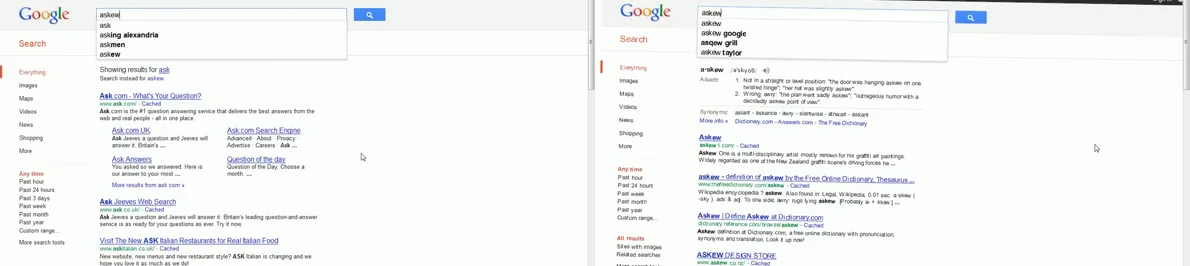
How to Trigger the Google Askew Easter Egg
- Open your browser and go to google.com
- In the search bar, type askew (exactly as written, no quotes needed)
- Press Enter or click Search
- The search results page will load with the entire page content slightly tilted — rotated a few degrees clockwise
- The effect applies to the full page layout, not just the results — the Google header, sidebar, and all content tiles at an angle
💡 Also try “tilt”
Searching for tilt on Google can produce the same page-rotation effect. The “tilt” trigger has been intermittently available over the years — it works for most users but occasionally shows only standard results. If “tilt” doesn’t work for you, “askew” is the more reliable keyword.
What Does the Page Actually Do?
When you search “askew,” Google applies a CSS transformation to the search results page. Specifically, the page body is rotated a small number of degrees — typically around 1 to 3 degrees clockwise — using CSS’s transform: rotate() property.
The effect is applied server-side (or very early in page rendering), so by the time the page finishes loading, it already appears tilted. The angle is noticeable but not extreme — enough to make the page look clearly wrong without making it unreadable.
Why “Askew” Specifically?
The word “askew” means tilted, lopsided, or not straight. Google’s engineers built an Easter egg that makes the interface literally demonstrate the word’s meaning. It’s a form of semantic illustration — the page becomes its own definition.
This approach to Easter eggs (making the UI respond to the meaning of the query, not just its text) also shows up in “do a barrel roll” (which rotates the page), “Google gravity” (where page elements fall), and “zerg rush” (where characters attack the results). The “askew” egg is one of the most minimalist examples of this pattern.
Google Askew vs. Google Tilt: What’s the Difference?
| Feature | Google Askew | Google Tilt |
|---|---|---|
| Search term | askew | tilt |
| Effect | Page rotates clockwise a few degrees | Page rotates clockwise a few degrees |
| Visual result | Results appear slanted/crooked | Results appear slanted/crooked |
| Reliability (2026) | Consistent — works for most users | Intermittent — may show standard results |
| Works on mobile | Yes, when it triggers | Intermittent |
| Works in all browsers | Yes (CSS transform is universal) | Yes, when it triggers |
| Word meaning | Lopsided, not straight | Leaning, angled |
⚠️ Availability note
Google’s Easter eggs are subject to change without notice. The “askew” effect has been stable for many years, but Google may alter or remove it during product updates. If you find it’s not working, try a private/incognito browser window, clear your cache, or check on a different device — Google Search sometimes runs A/B tests that temporarily affect Easter egg visibility.
Does Google Askew Work on Mobile?
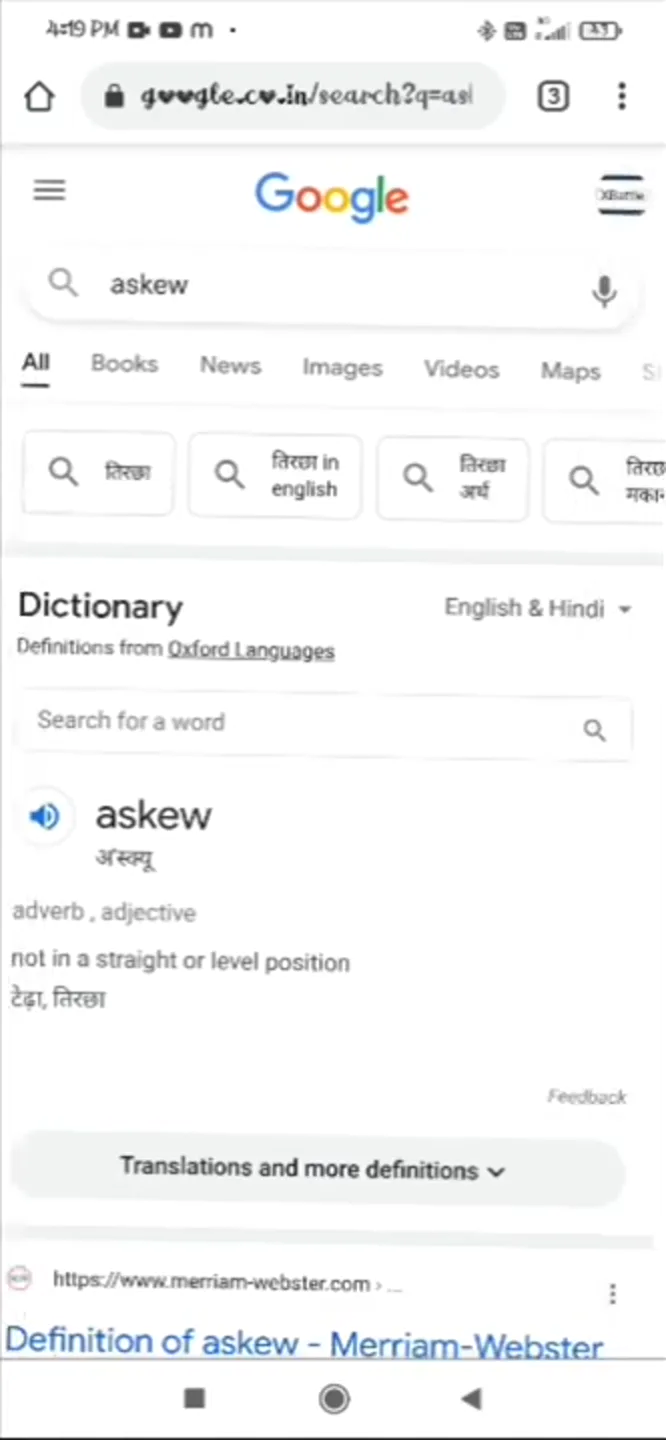
Yes — the “askew” Easter egg does trigger on mobile browsers, including Chrome for Android and Safari for iOS, when it works. However, the visual effect can be harder to notice on a small screen because the slight rotation is more visible against a wider page layout. On a phone, you may need to look carefully at the edges of the page to see that it’s tilted.
Searching “tilt” on mobile is more inconsistent than on desktop — if you want to reliably see the effect on a phone, “askew” is the better keyword to
How Google Askew Compares to Other Search Easter Eggs
| Easter Egg | Trigger | Effect | Type |
|---|---|---|---|
| Google Askew | Search “askew” | Page tilts clockwise | CSS transform |
| Do a Barrel Roll | Search “do a barrel roll” | Page spins 360° | CSS animation |
| Google Zerg Rush | Search “zerg rush” | O’s attack the results | JavaScript animation |
| Google Pac-Man | Doodle URL or search | Playable arcade game | Full game embed |
| Google Snake | Search “snake game” | Playable snake game | Full game embed |
| Blink HTML | Search “blink html” | Words blink on the page | CSS animation |
The “askew” Easter egg sits at the minimal, elegant end of this spectrum. It requires no interaction, produces no animation sequence, and is over before you realize it started. It’s purely a visual pun delivered at page-load speed.
The History of Google’s “Askew” Easter Egg
Google introduced the “askew” Easter egg sometime around 2011–2012, during a period when the company was adding a series of small, search-triggered visual tricks. The same era introduced “do a barrel roll,” “zerg rush,” and the “tilt” variant. These Easter eggs were part of Google’s informal engineering culture — developers could ship small surprises tied to meaningful search queries, with the implicit rule that they had to “make sense” as a search result of some kind.
📌 The word “askew”
The English word “askew” dates to the mid-16th century, likely derived from the Old Norse “á ská” (on the slant). It describes something that is out of alignment, off-center, or crooked. Google’s Easter egg is essentially a visual definition in CSS — one of the most economical pieces of UX writing ever shipped.
The Easter egg has remained in Google Search for well over a decade, surviving multiple redesigns of the search results interface. Unlike some Easter eggs that were retired (Google Atari Breakout was removed from Image Search in 2020, for example), the “askew” effect is implemented as a lightweight CSS transform that requires minimal maintenance — likely why it has outlasted many of its peers.
🔗 Related Google Easter Eggs
- Do a Barrel Roll — the Easter egg that spins the entire page
- Google Gravity — everything on the page falls to the bottom
- Google Zerg Rush — O’s from the Google logo attack your search results
- All Google Easter Eggs (2026 Master List)
Frequently Asked Questions
How do I make Google go askew?
Go to google.com and search for the word askew. When the results load, the entire page will be tilted slightly to the right. No special setup, extension, or setting is required. It works in any desktop or mobile browser.
Why does Google tilt when you search “askew”?
The word “askew” means lopsided or not straight, so Google tilts the page to visually illustrate the word’s meaning. It’s a playful, self-referential Easter egg — the search result literally demonstrates what you searched for. Google engineers built these small surprises as part of the company’s engineering culture.
Does “Google tilt” still work in 2026?
The “Google askew” Easter egg is consistently available in 2026. The “Google tilt” variant is intermittent — it works for many users but not all, and availability can change with A/B testing and Search interface updates. If “tilt” doesn’t produce the tilted page for you, try “askew,” which is more reliably triggered.
How does Google make the page tilt?
Google applies a CSS transform: rotate() property to the body of the search results page. This rotates the entire page layout by a small number of degrees — typically 1 to 3 degrees clockwise. The CSS transform is applied at page load, so the page arrives already tilted rather than rotating after loading.
Is “Google askew” the same as “do a barrel roll”?
They use the same technical mechanism (CSS transforms) but produce different effects. “Do a barrel roll” spins the page a full 360 degrees and then returns it to normal. “Askew” tilts the page a few degrees and leaves it there — the page stays crooked for as long as you’re on the search results. Neither affects your search results themselves, only the visual presentation.
Does Google Askew work on a phone?
Yes. Searching “askew” in Google on a mobile browser (Chrome for Android, Safari for iOS) does trigger the tilt effect. It can be harder to notice on a small screen because the angle of rotation is subtle against a narrower layout. Look at the top edge of the page — if it’s not parallel with your phone screen’s edge, the tilt is working.
Does the Google Askew Easter egg affect my search results?
No. The results you see when searching “askew” are genuine web results for that word — definitions, synonyms, etymology, etc. The only change is visual: the page is rotated slightly. The Easter egg does not alter the search algorithm, ranking, or the content of the results in any way.
Are there other words that trigger Google visual Easter eggs?
Yes. Other search queries that trigger visual effects include: “do a barrel roll” (page spins), “zerg rush” (animated attack on results), “blink html” (words blink on the page), “flip a coin” (animated coin toss), and “roll a die” (animated dice roll). Each Easter egg is triggered by searching the exact phrase on Google.com.
When was the Google Askew Easter egg added?
The Google “askew” Easter egg was introduced around 2011–2012, during the same period that Google added “do a barrel roll,” “zerg rush,” and other search-triggered Easter eggs. It has remained in Google Search for over a decade, surviving multiple redesigns of the Search interface.
Can I share a link to the Google Askew Easter egg?
Yes. The URL for the Google Askew Easter egg is simply a Google Search URL for the word “askew”: google.com/search?q=askew. Anyone who clicks that link will see the tilted results page (assuming the Easter egg is active for their account and region at the time). You can share this URL directly, or tell people to search “askew” on Google.com.
Explore More Google Easter Eggs
The “askew” tilt is just one of dozens of hidden tricks built into Google Search. See the full 2026 list — games, animations, visual surprises, and more.
Summary
The Google Askew Easter egg is triggered by searching the word askew on Google.com. The entire search results page tilts a few degrees clockwise, visually demonstrating the word’s meaning (“lopsided, not straight”). The effect is produced by a CSS transform: rotate() applied at page load. Searching tilt can produce the same effect, though it’s less consistently available than “askew.” Both keywords work on desktop and mobile browsers. The Easter egg has been part of Google Search since approximately 2011–2012 and remains active in 2026.
Sources: Google Search (tested October 2026); browser developer tools CSS inspection; Google Easter eggs documentation; word etymology from Oxford English Dictionary online. Sourced