Google Gravity: How It Works, How to Try It, and What It Really Is (2026)
Google Gravity is a third-party web experiment — not a built-in Google Easter egg. Visit the mrdoob page directly, watch every element fall to the bottom of the screen, and pick it up and throw it around. Here is how it works, how to try it, and what it really is.
What Google Gravity Really Is
Quick answer
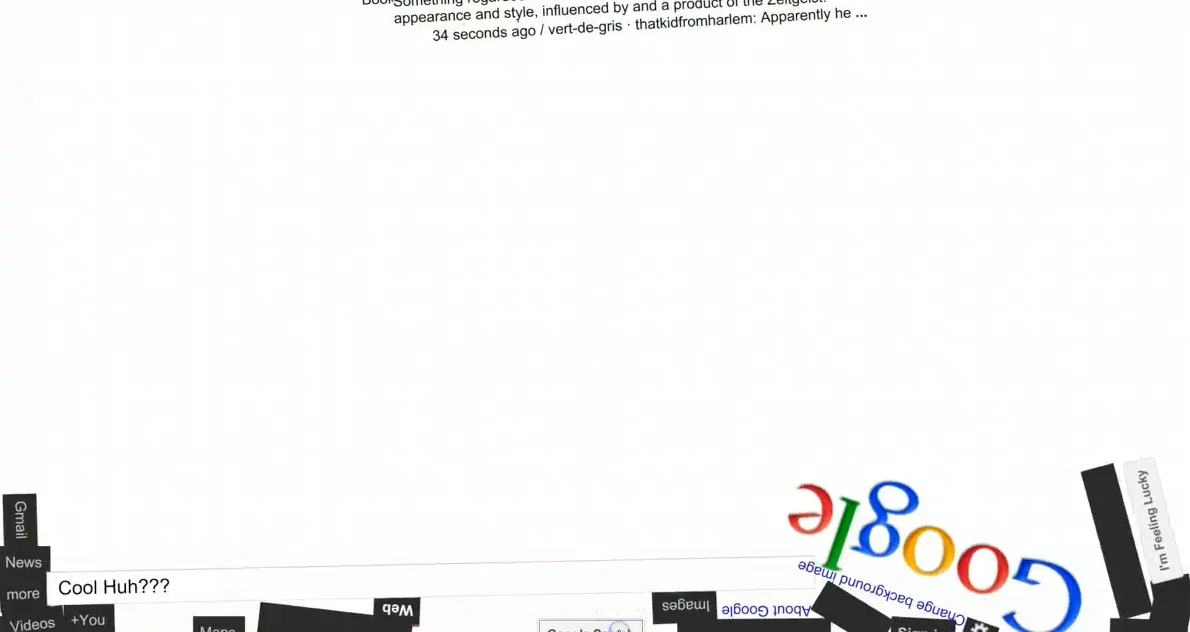
Google Gravity is a third-party web experiment — not a built-in Google Easter egg. To experience it, visit mrdoob.com/projects/chromeexperiments/google-gravity/ directly or search “google gravity” and look for the mrdoob link. On the page, every element (logo, search bar, buttons, results) falls to the bottom of the screen under simulated gravity. You can pick them up, throw them around, and type to search.
Important distinction
Despite being called “Google Gravity,” this is not made by Google. It was created by developer Ricardo Cabello (Mr.doob) as a Chrome Experiment. The old method of triggering it via Google’s “I’m Feeling Lucky” button no longer works reliably. Go directly to the mrdoob link.
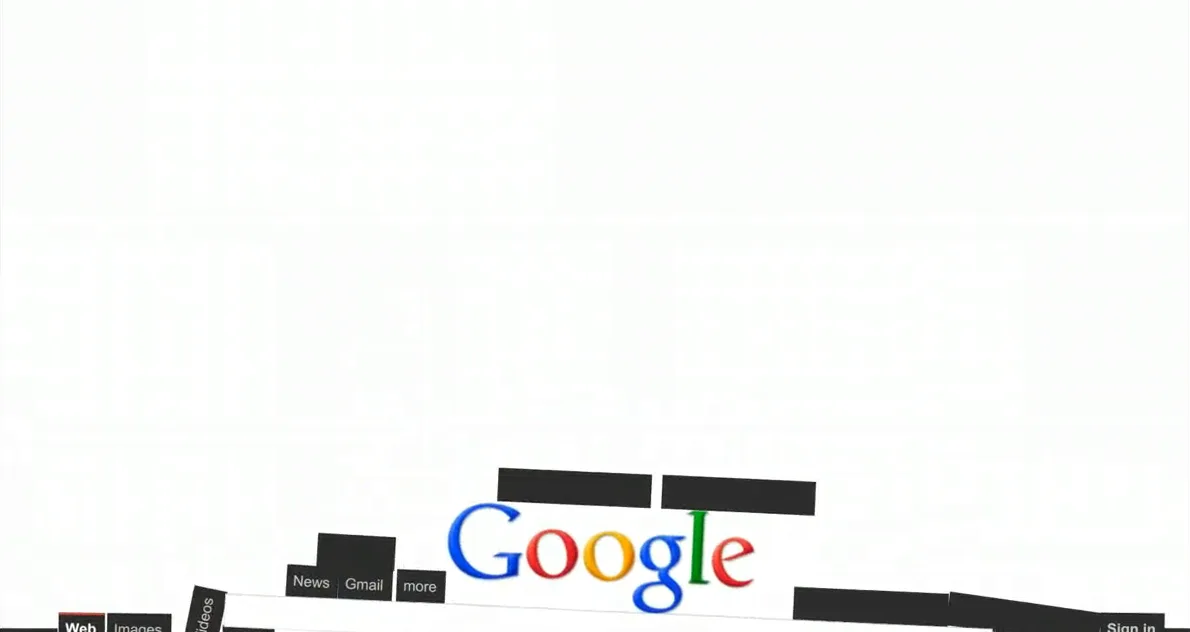
Google Gravity is one of the most satisfying things you can do with a browser. Load the page, watch every piece of Google’s familiar interface tumble to the floor, then grab the logo with your mouse and fling it around the screen. The search bar still works — type anything and the results appear, then immediately start falling too.
Because it looks so authentic and the experience feels connected to Google itself, millions of people assume it is a hidden Google feature. It is not — but that does not make it any less impressive or fun. If anything, the fact that a single developer recreated Google’s interface in functional, physics-simulated JavaScript makes the experiment more remarkable.
How to Access Google Gravity in 2026
The most reliable method is to visit the page directly:
- Open your browser and go to
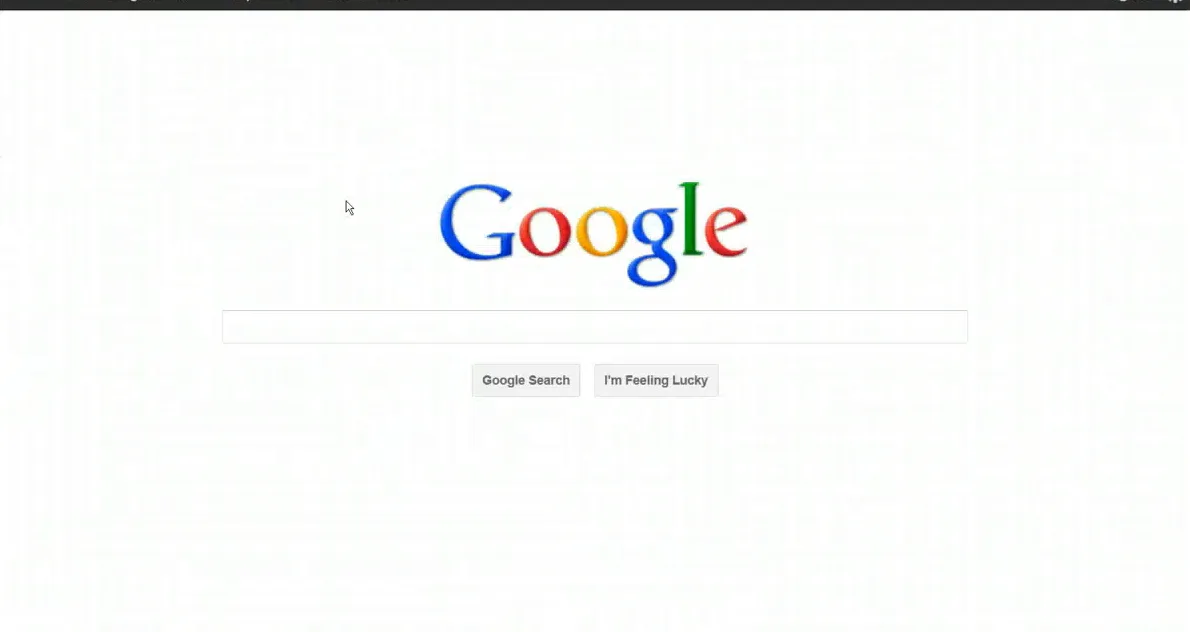
mrdoob.com/projects/chromeexperiments/google-gravity/ - Wait for the page to load — you will see a Google-style homepage for a brief moment.

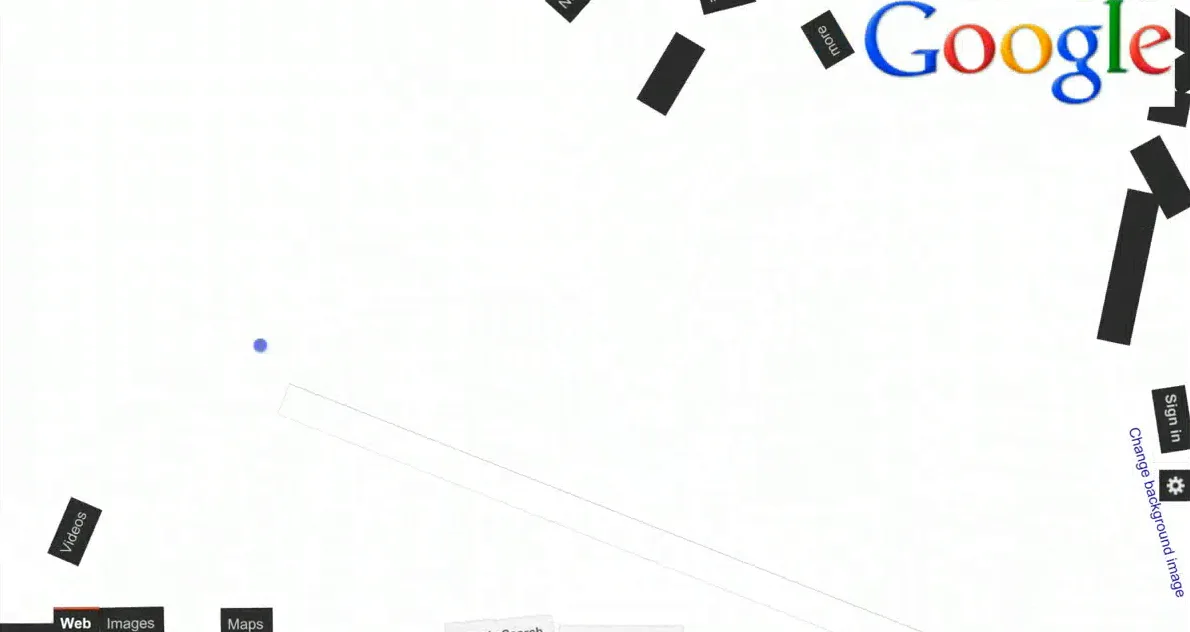
- Watch the logo, search bar, “Google Search” button, and “I’m Feeling Lucky” button all fall toward the bottom of the screen.
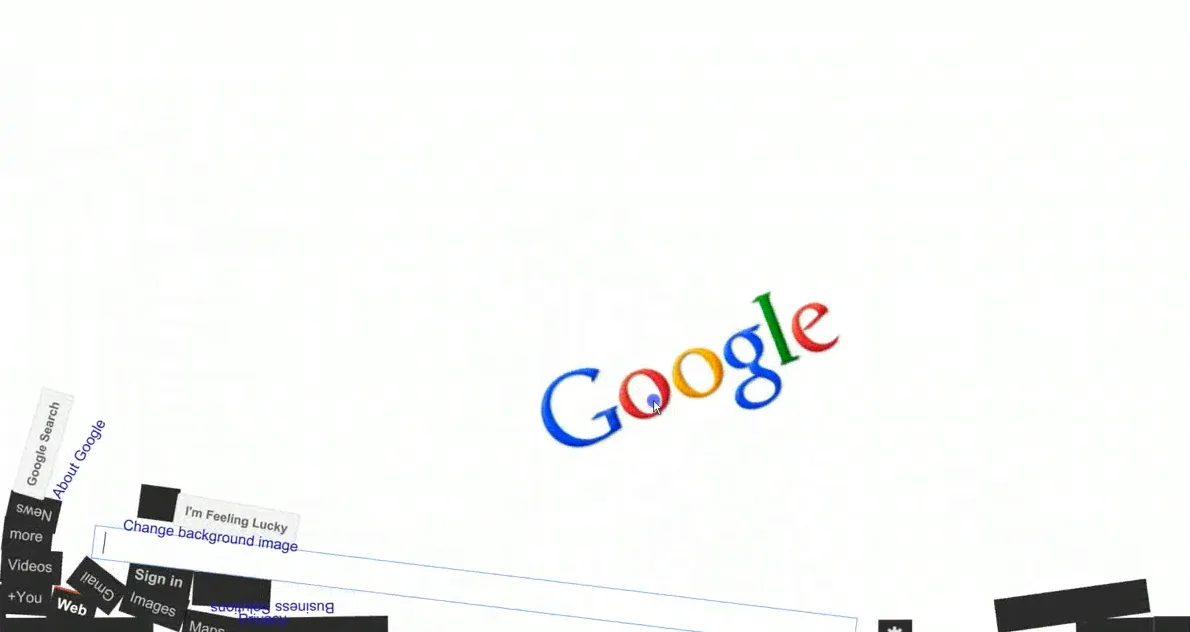
- Click and drag any element to throw it around the page. Release it and it will bounce and fall with realistic physics.
- Click inside the search bar, type a search term, and press Enter — results will appear and immediately start tumbling.
Alternative access: The elgooG fan site (elgoog.im) also hosts a version of Google Gravity alongside other restored Google Easter eggs. Search “google gravity elgoog” to find it.
What Happened to the “I’m Feeling Lucky” Method?
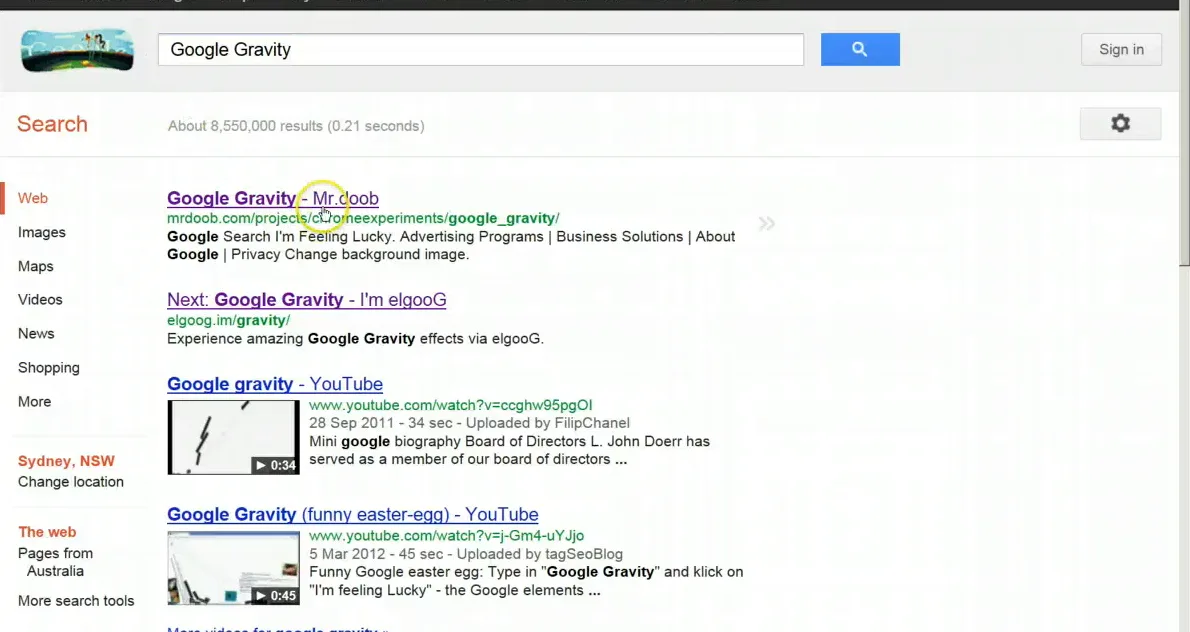
For years, the popular method for accessing Google Gravity was: type “google gravity” in Google Search, then click the “I’m Feeling Lucky” button. This used to redirect directly to the mrdoob experiment because it ranked first for that query with Lucky’s direct-redirect behavior.
This method no longer works consistently. Google changed how “I’m Feeling Lucky” functions — it now typically shows a brief search result page rather than immediately redirecting. Additionally, Google has added other results that may intercept the Lucky click. Going directly to the URL above is the reliable route.
Who Made Google Gravity?
Google Gravity was created by Ricardo Cabello, a Spanish developer who goes by the alias Mr.doob online. He built it around 2009 as part of Google’s Chrome Experiments — an official Google showcase of creative browser demos built by independent developers to demonstrate what modern web browsers can do.
This is the key nuance: while Mr.doob built the experiment and while it was featured in a Google showcase, the experiment itself is not part of Google’s search engine. It lives on Mr.doob’s own website. Google’s showcase simply linked to it as an example of impressive browser-based creativity.
Key fact
Ricardo Cabello (Mr.doob) is also the creator of Three.js, the widely-used JavaScript 3D library. Google Gravity is just one of dozens of creative browser experiments he has published.
Google Gravity Variants Worth Trying
| Variant | What happens | Where to find it |
|---|---|---|
| Google Gravity (original) | Elements fall down, physics simulation, draggable | mrdoob.com/projects/chromeexperiments/google-gravity/ |
| Google Underwater | Elements float upward as if submerged in water, fish swim by | elgoog.im/underwater/ |
| Google Mirror (elgooG) | The entire Google interface is displayed backwards/mirrored | elgoog.im |
| Google Zero Gravity | Elements float around the page in zero-gravity mode | Various fan sites — search “google zero gravity” |
| Google Space | Space-themed background with floating elements | mrdoob.com/projects/chromeexperiments/google-space/ |

How Does Google Gravity Work Technically?
Mr.doob built Google Gravity using JavaScript and the browser’s DOM (Document Object Model). Here is what happens under the hood:
- The page loads a near-perfect visual replica of Google’s homepage, built with standard HTML and CSS.
- A JavaScript physics engine applies downward acceleration to every element on the page.
- Each element gains velocity, bounces off the bottom of the screen (losing some energy with each bounce), and eventually settles.
- Mouse events allow you to “grab” any element — when you click and drag, you temporarily override gravity for that element; releasing it gives it velocity in the direction you threw it.
- The search function is real — it passes your query to Google and displays actual results, which then also fall under the simulated gravity.
The physics behavior is impressively realistic for a browser demo from 2009, and it still holds up today because the underlying web technologies (JavaScript, DOM manipulation, mouse event handling) have only become faster and more capable since then.
Google Gravity vs. Real Google Easter Eggs
It is worth understanding the distinction because many articles online blur the line:
| Feature | Google Gravity | Real Google Easter Eggs (e.g., Barrel Roll) |
|---|---|---|
| Made by | Ricardo Cabello (Mr.doob), independent developer | Google engineers |
| Hosted on | mrdoob.com (third-party) | google.com (Google’s servers) |
| Triggered by | Visiting the URL directly | Searching a specific phrase on Google.com |
| Part of Google Search | No | Yes |
| Officially featured by Google | Yes — in Chrome Experiments showcase (historical) | Yes — built-in to Search |
Related Google Easter Eggs
- Complete Google Easter Eggs Master List (2026)
- Do a Barrel Roll — the most famous built-in Easter egg
- Google Askew / Tilt — makes the page tilt sideways
- Google Pac-Man — the playable doodle from 2010
Frequently Asked Questions
Is Google Gravity a real Google Easter egg?
No. Google Gravity is a third-party web experiment created by developer Ricardo Cabello (Mr.doob), not by Google. It was featured in Google’s Chrome Experiments showcase as an example of impressive browser technology, but it lives on Mr.doob’s own website and is not built into Google Search.
Does Google Gravity still work in 2026?
Yes. Google Gravity is still accessible at mrdoob.com/projects/chromeexperiments/google-gravity/ and works in modern browsers. The elgooG fan site (elgoog.im) also hosts a copy. The old “I’m Feeling Lucky” shortcut no longer works reliably, so visit the URL directly.
Who made Google Gravity?
Ricardo Cabello, a Spanish developer known online as Mr.doob, created Google Gravity around 2009. He is also the creator of Three.js, one of the most popular JavaScript 3D libraries. Google Gravity was part of Google’s Chrome Experiments showcase, a program that highlighted creative browser demos from independent developers.
Can you still search on Google Gravity?
Yes. The search function on the Google Gravity page is real. You can type a search query, press Enter, and actual Google search results will appear — then they too will fall under the simulated gravity and pile up at the bottom of the screen.
What is the difference between Google Gravity and Google Underwater?
Google Gravity simulates downward gravity — all elements fall to the bottom of the screen. Google Underwater reverses this: elements float upward as if submerged in water, and animated fish swim across the screen. Both are fan-made experiments, not official Google features. Google Underwater is available at elgoog.im/underwater/.
How do you throw things in Google Gravity?
Click and hold any element (the logo, search bar, a button, or a result card), drag it in any direction while still holding, and then release it quickly. The element will fly in the direction you moved it, then gradually fall back down due to gravity. The faster your mouse is moving when you release, the more velocity the element gets.
Does Google Gravity work on mobile?
Google Gravity can be accessed on mobile browsers, though the touch interaction differs from desktop mouse control. You can tap and drag elements with your finger. The physics simulation works, but the experience is optimized for desktop use with a mouse.
Why does Google Gravity look exactly like Google?
Mr.doob recreated Google’s homepage appearance using HTML and CSS, matching the fonts, colors, layout, and button styles. This is standard web development practice — anyone can inspect and replicate the visual appearance of a website. The familiarity of the interface is what makes the gravity effect so surprising and fun.
Is there a Google Gravity for Google Maps?
There is no widely known gravity experiment specifically for Google Maps. Google Maps has its own real Easter eggs, including a hidden Snake game that appeared as a temporary Google Maps April Fools feature. For gravity-style experiments, the mrdoob and elgooG sites are the best sources.
Why do so many websites call Google Gravity a Google Easter egg?
The confusion comes from two sources: first, it was featured in an official Google showcase (Chrome Experiments), making it feel Google-sanctioned; second, its visual design perfectly mimics Google, so it feels native. Most articles simply repeat what others have written without fact-checking the origin. It is more accurate to call it a Google-themed Chrome Experiment than a Google Easter egg.
Explore Every Google Easter Egg
Google Gravity is just the beginning. See every trick, game, and hidden surprise — including ones that are genuinely built into Google Search.
Summary
Google Gravity is a physics-based browser experiment created by developer Ricardo Cabello (Mr.doob) in 2009, not a built-in Google Easter egg. It simulates gravity on a Google-lookalike page, causing all elements to fall, bounce, and pile up at the bottom. You can interact with the elements and even use the search function, with real results appearing and immediately falling. Access it directly at mrdoob.com/projects/chromeexperiments/google-gravity/ — the old “I’m Feeling Lucky” route no longer works reliably. For more genuine Google Easter eggs, explore our master list.
Sources: mrdoob.com/projects/chromeexperiments/google-gravity/ (visited October 2026); Google Chrome Experiments showcase (historical); QuickOnlineTips.com, October 2026; DeliveredSocial.com Google Easter Eggs guide, October 2026.